
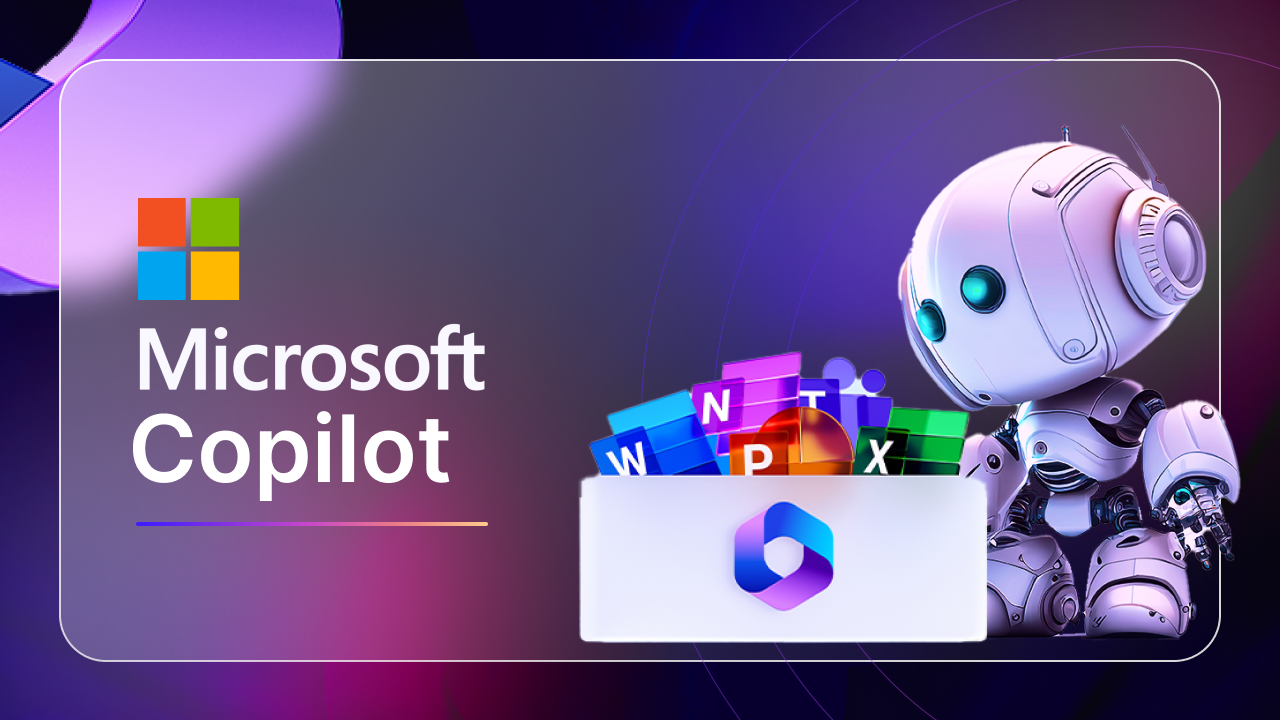
Imagine having an executive assistant for every single employee, instantly available across all your daily tools. Sounds like science fiction, right? Well, that future is not just here; it’s integrated directly into the software you use every single day. A recent study by Microsoft indicated that 70% of Copilot users reported increased productivity, with 68% saying it improved the quality of their work. That’s a staggering leap in efficiency for businesses grappling with overwhelming workloads.
Microsoft 365 Copilot isn’t just another AI tool; it’s a revolutionary shift in how we interact with technology and knowledge. It harnesses the power of large language models (LLMs) alongside your own organizational data and the vast capabilities of Microsoft 365 apps. This means you gain a personalized AI companion that works seamlessly within Word, Excel, PowerPoint, Outlook, Teams, and more, transforming raw data into actionable insights and tedious tasks into effortless completions.
This isn’t about replacing human ingenuity; it’s about amplifying it. Copilot promises to free up valuable time spent on repetitive tasks, allowing you and your team to focus on strategic thinking, creativity, and innovation. If you are feeling the pressure of information overload and endless to-do lists, understanding Copilot is no longer optional—it is essential for staying competitive.
What Exactly is Microsoft 365 Copilot?
At its core, Microsoft 365 Copilot is an AI-powered assistant designed to integrate directly into the Microsoft 365 suite. Think of it as a sophisticated bridge connecting three powerful elements:
- Large Language Models (LLMs): These are the advanced AI brains, like GPT-4, capable of understanding and generating human-like text. They power Copilot’s ability to summarize, draft, and analyze.
- Microsoft Graph: This is the intelligent layer that connects all your data within Microsoft 365. It understands your emails, documents, meetings, chats, and calendars. Copilot uses Graph to access your unique organizational context, ensuring its responses are relevant to your work.
- Microsoft 365 Apps: This includes the familiar tools you use daily—Word, Excel, PowerPoint, Outlook, Teams, OneNote, and more. Copilot lives inside these apps, allowing you to interact with it directly within your workflow.
The magic happens when these three components work together. Copilot doesn’t just pull generic information from the internet; it combines that with your specific documents, communications, and workflows. It understands your meetings, your project plans, and your company’s data, providing contextually rich assistance. It’s a fundamental shift from using apps to solve problems, to having apps that proactively help you achieve your goals.
The Foundation: Microsoft Graph and Semantic Index
You might be wondering, “How does Copilot know my stuff?” The answer lies in two critical components: Microsoft Graph and the Semantic Index.
Microsoft Graph: Your Digital Nervous System
Microsoft Graph is essentially the data backbone of your Microsoft 365 environment. It maps the relationships between all your data:
- Who you collaborate with: Your emails, chats, and meetings.
- What documents you work on: Files stored in SharePoint, OneDrive, and Teams.
- Your schedule and tasks: Calendar entries and Planner tasks.
Copilot leverages this “map” to understand the context of your work. When you ask Copilot in Word to “draft a proposal based on the Q3 sales report and last week’s client meeting notes,” it queries Microsoft Graph to locate those specific documents and communications from your digital workspace. This ensures the AI isn’t hallucinating or pulling irrelevant public data; it’s working with your actual, private company information.
Semantic Index: Making Sense of Your Data
Beyond just knowing where your data is, Copilot needs to understand what it means. This is where Microsoft’s Semantic Index comes into play. It’s an enterprise-grade indexing system that creates a sophisticated “map of concepts” from your entire organizational data in Microsoft 365.
Instead of just searching for keywords, the Semantic Index understands the meaning and relationships between information. So, if you ask Copilot to “summarize the key risks from our latest project,” it doesn’t just look for the word “risk.” It understands what a “risk” is in the context of a project document, identifies relevant sections, and synthesizes that information, even if the exact word “risk” isn’t present in every sentence. This deep understanding allows Copilot to provide far more accurate, relevant, and insightful responses. This foundation is why Copilot moves beyond simple automation to truly intelligent assistance.

Revolutionizing Productivity Across Microsoft 365 Apps
Copilot isn’t a standalone application; it’s embedded directly into the tools you use every day, transforming common tasks into streamlined operations.
Word: From Blank Page to Draft in Seconds
Staring at a blank document can be daunting. With Copilot in Word, that initial hurdle vanishes.
- Drafting: Ask it to “Draft a 500-word blog post about the benefits of hybrid work, pulling data from the ‘Hybrid Work Study 2024’ document.”
- Summarizing: Quickly get the key takeaways from a lengthy report or research paper.
- Rewriting: Refine tone, simplify language, or expand on ideas with simple prompts.
This capability is particularly powerful when dealing with large volumes of information. You can generate first drafts, saving hours, and then focus your human expertise on refining and personalizing the content.
Excel: Data Analysis Made Accessible
Excel, often a powerful but complex tool, becomes far more intuitive with Copilot.
- Formula Generation: Instead of remembering complex functions, describe what you need: “Calculate the total sales for products in the ‘Electronics’ category.”
- Data Insights: Ask “Identify the top 5 performing regions from this sales data” or “Show me the correlation between advertising spend and customer acquisition.”
- Visualization: Create charts and graphs by simply stating your desired output, like “Generate a bar chart comparing Q1 vs. Q2 revenue.”
This capability democratizes data analysis, allowing even non-technical users to extract meaningful insights without deep Excel expertise.
PowerPoint: Creating Engaging Presentations Effortlessly
Building compelling presentations can be incredibly time-consuming. Copilot helps you go from idea to polished slides faster.
- Content Generation: “Create a presentation about our new marketing strategy, using points from the ‘Marketing Plan Q4’ document.”
- Design Ideas: Suggest layouts and visual enhancements based on your content.
- Summarization: Condense long reports into concise slide bullet points.
This frees up valuable time, allowing you to focus on delivery and storytelling rather than formatting.
Outlook: Taming Your Inbox and Composing Smarter Emails
The never-ending stream of emails is a major productivity drain. Copilot in Outlook acts as your intelligent email assistant.
- Drafting Replies: “Draft a polite reply to Sarah, accepting the meeting invitation and asking for the agenda.”
- Summarizing Threads: Get a quick digest of long email conversations, saving you from reading every message.
- Tone Adjustment: Ensure your emails are clear, concise, and convey the right tone.
Imagine reclaiming hours each week that were once spent on email management.
Teams: Smarter Meetings and Real-time Collaboration
Teams is where much of modern collaboration happens, and Copilot elevates this experience.
- Meeting Summaries: Get instant recaps of meeting discussions, action items, and key decisions.
- Catch-up: If you join a meeting late, ask Copilot to “Summarize what I’ve missed.”
- Action Items: Automatically extract tasks and assignees from spoken conversations.
This ensures everyone stays on the same page, even those who couldn’t attend or joined late. For businesses striving for effective collaboration, understanding how to maximize these features is paramount. You can dive deeper into optimizing your Microsoft Teams usage with our insights on Measuring Microsoft Teams Adoption.
Security, Privacy, and Responsible AI: The Core Principles
The power of Copilot working with your sensitive organizational data naturally raises questions about security and privacy. Microsoft has built Copilot with enterprise-grade safeguards designed to ensure your data remains secure and private.
- Your Data Stays Within Your Tenant: Copilot does not move your data outside your Microsoft 365 tenant. It accesses your data through Microsoft Graph and processes it within your existing compliance boundaries. This means your information isn’t used to train the general public LLMs or shared with other organizations.
- Existing Permissions Are Honored: Copilot only accesses data that you already have permission to see. If a user doesn’t have access to a specific SharePoint document, Copilot will not show them information from that document. This respects your existing security and access controls.
- Compliance and Governance: Copilot inherits your organization’s Microsoft 365 security, privacy, and compliance policies, including multi-factor authentication, data loss prevention (DLP), and eDiscovery.
- Responsible AI Principles: Microsoft is committed to developing AI responsibly. Copilot includes protections against generating harmful, biased, or inappropriate content. It’s designed with guardrails to promote fairness, reliability, safety, privacy, inclusivity, and transparency.
It’s crucial to remember that while Copilot is powerful, it is a tool to assist, not to replace human judgment. Users remain responsible for reviewing and verifying the AI-generated content. For more insights on safeguarding your SharePoint environment, consider reviewing our article on SharePoint Security Best Practices.
Preparing Your Organization for Microsoft 365 Copilot
Adopting Copilot isn’t just about flipping a switch; it requires thoughtful preparation to maximize its benefits and ensure a smooth transition.
1. Data Governance and Cleanliness
Since Copilot relies on your existing data, the quality of that data directly impacts the quality of Copilot’s output.
- Clean Up Old Files: Archive or delete outdated and redundant documents.
- Organize SharePoint and OneDrive: Ensure files are logically structured with consistent naming conventions.
- Review Permissions: Regularly audit who has access to what, as Copilot will respect these existing permissions.
A cluttered digital workspace will lead to a cluttered Copilot experience.
2. Information Architecture and Search Optimization
Copilot’s Semantic Index works best when your information architecture is sound.
- Consistent Metadata: Implement consistent tags, labels, and categories across your documents. This helps Copilot understand the context and relationships between information.
- Descriptive Titles: Use clear, descriptive titles for documents and meetings.
- Utilize SharePoint Features: Leverage features like content types, managed metadata, and search schemas to enrich your data.
A well-structured information architecture not only benefits Copilot but also improves overall searchability for your users.
3. Training and Change Management
Copilot introduces new ways of working. Effective training is crucial for adoption.
- Pilot Programs: Start with a pilot group of enthusiastic users to gather feedback and identify best practices.
- Prompt Engineering: Train users on how to write effective prompts to get the best results from Copilot. This is a new skill for many.
- Focus on Business Scenarios: Provide examples of how Copilot can solve real-world problems specific to your organization (e.g., “Use Copilot to draft a response to a common customer inquiry”).
- Emphasize Human Oversight: Remind users that Copilot is an assistant, and its outputs need human review and verification.
Successful Copilot integration hinges on empowering your employees to use it effectively and understand its capabilities. Consider consulting our guide on SharePoint User Adoption Strategies for further insights.
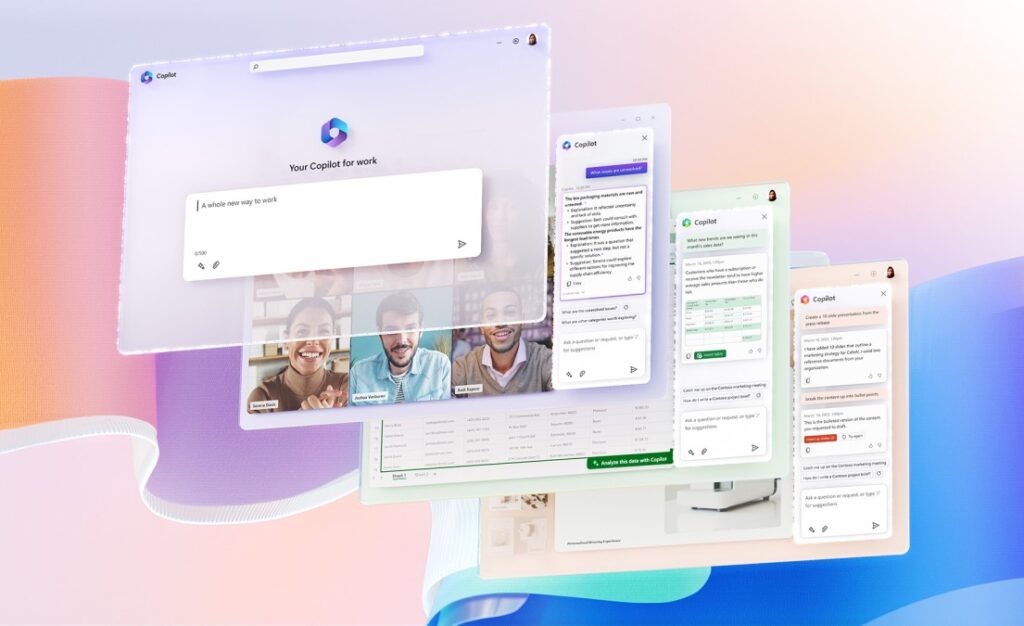
The Future of Work is Here: Embracing the AI Revolution
Microsoft 365 Copilot represents a monumental leap in workplace productivity. It’s more than just a new feature; it’s a paradigm shift, giving every employee a powerful AI assistant that understands their context, leverages their data, and works seamlessly within their daily applications.
This AI revolution, however, brings new challenges. As Copilot helps generate more content, summarize more meetings, and analyze more data, the sheer volume of digital activity within your Microsoft 365 environment will grow exponentially. Understanding how your employees are interacting with these AI-powered tools, which prompts are most effective, and where Copilot is truly driving value, becomes more critical than ever.
This is precisely where solutions like CardioLog Analytics play an indispensable role. While Copilot boosts individual productivity, CardioLog Analytics provides the overarching visibility you need to measure its impact across your entire organization. It helps you understand:
- Copilot Adoption Rates: Which departments are leveraging Copilot the most, and where might more training be needed?
- Content Effectiveness: Are the documents and summaries generated by Copilot actually being used and consumed?
- User Behavior Shifts: How is Copilot changing the way employees search for information, collaborate in Teams, or create documents?
By combining the power of Microsoft 365 Copilot with the deep analytical insights of CardioLog Analytics, you’re not just adopting AI; you’re intelligently managing its impact and ensuring a truly optimized, productive, and future-ready digital workplace.
Ready to gain unparalleled insight into your Microsoft 365 environment and the true impact of Copilot? Explore CardioLog Analytics today and transform your data into actionable strategy.








 Follow @cardiolog