Microsoft Teams Analytics for Adoption and Engagement
Understand how users, teams, and departments engage with Microsoft Teams. Identify adoption gaps, inactive areas, and collaboration trends across your organization.

“CardioLog Analytics helps customers optimize
their business operations and gain real-time data faster”
Turn Microsoft Teams Usage Into Actionable Adoption Insights

Measure Adoption
See how users, teams, and departments engage with Microsoft Teams.

Find Inactive Areas
Identify inactive teams, channels, and users that may require attention.

Understand Collaboration
Reveal how employees communicate and collaborate across Teams.

Target Support
Find users and groups that may need training or adoption guidance.

Compare Departments
Measure adoption across departments, locations, and business units.

Connect Microsoft 365 Usage
Combine Teams insights with broader Microsoft 365 activity.
How it works
How CardioLog Analytics helps you to optimize Teams performance
Securely connect CardioLog Analytics to the Microsoft 365 data sources you want to analyze.
Choose the Microsoft 365 workloads and data sources you want to include in your analytics.
Analyze Adoption and Engagement
Explore activity across users, departments, teams, and channels through configurable reports.


Turn Insights Into Action
Identify inactivity, adoption gaps, and training needs, then focus improvement efforts where they matter most.
Why CardioLog Analytics?
Adoption rates, engagement, and collaboration levels are of the utmost important factors,
when considering ROI within any Microsoft 365 application, especially Teams.
Our intuitive and holistic dashboards provide the most crucial insights with measurable
statistics and goals for your Microsoft Teams activity.
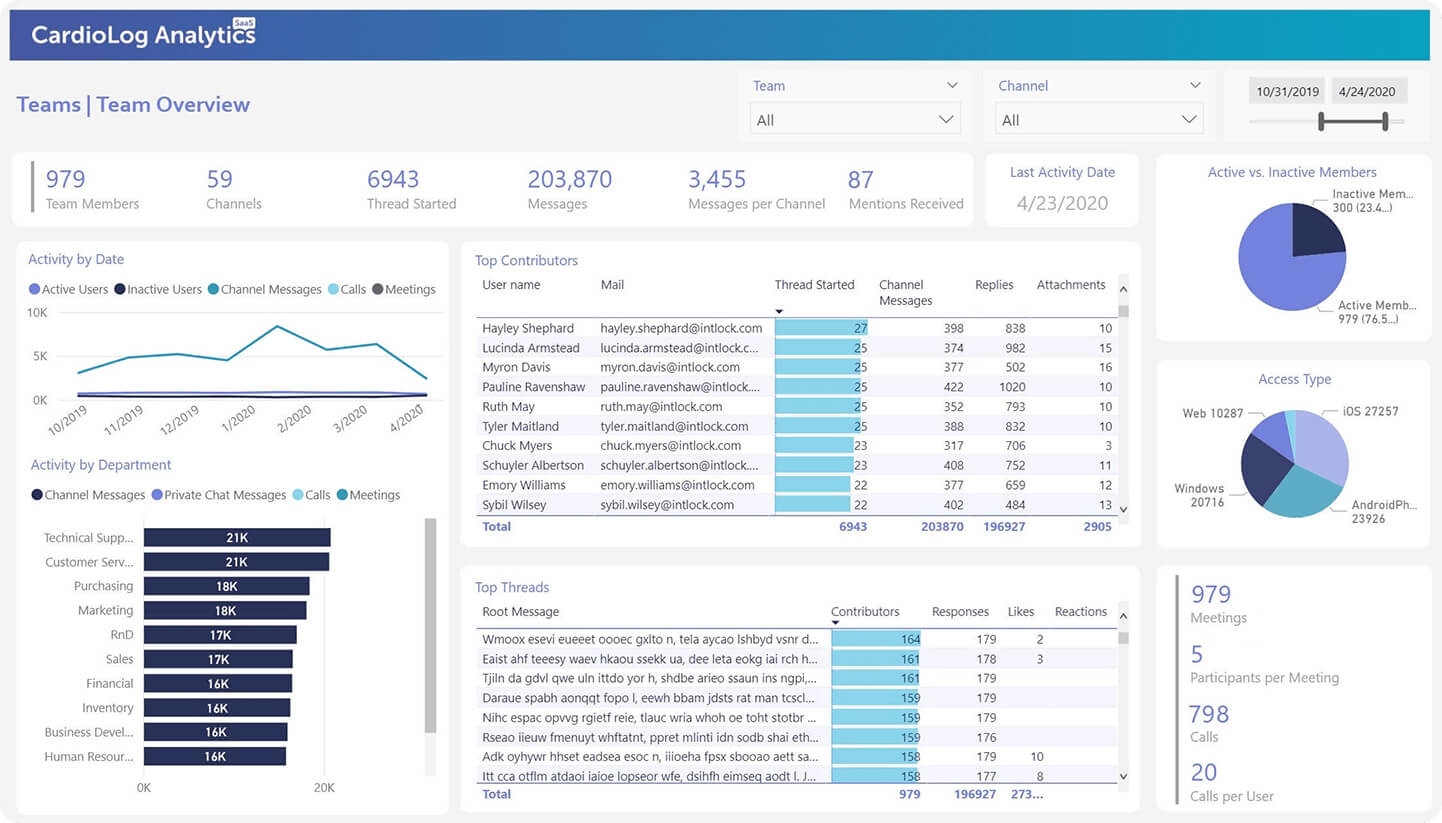
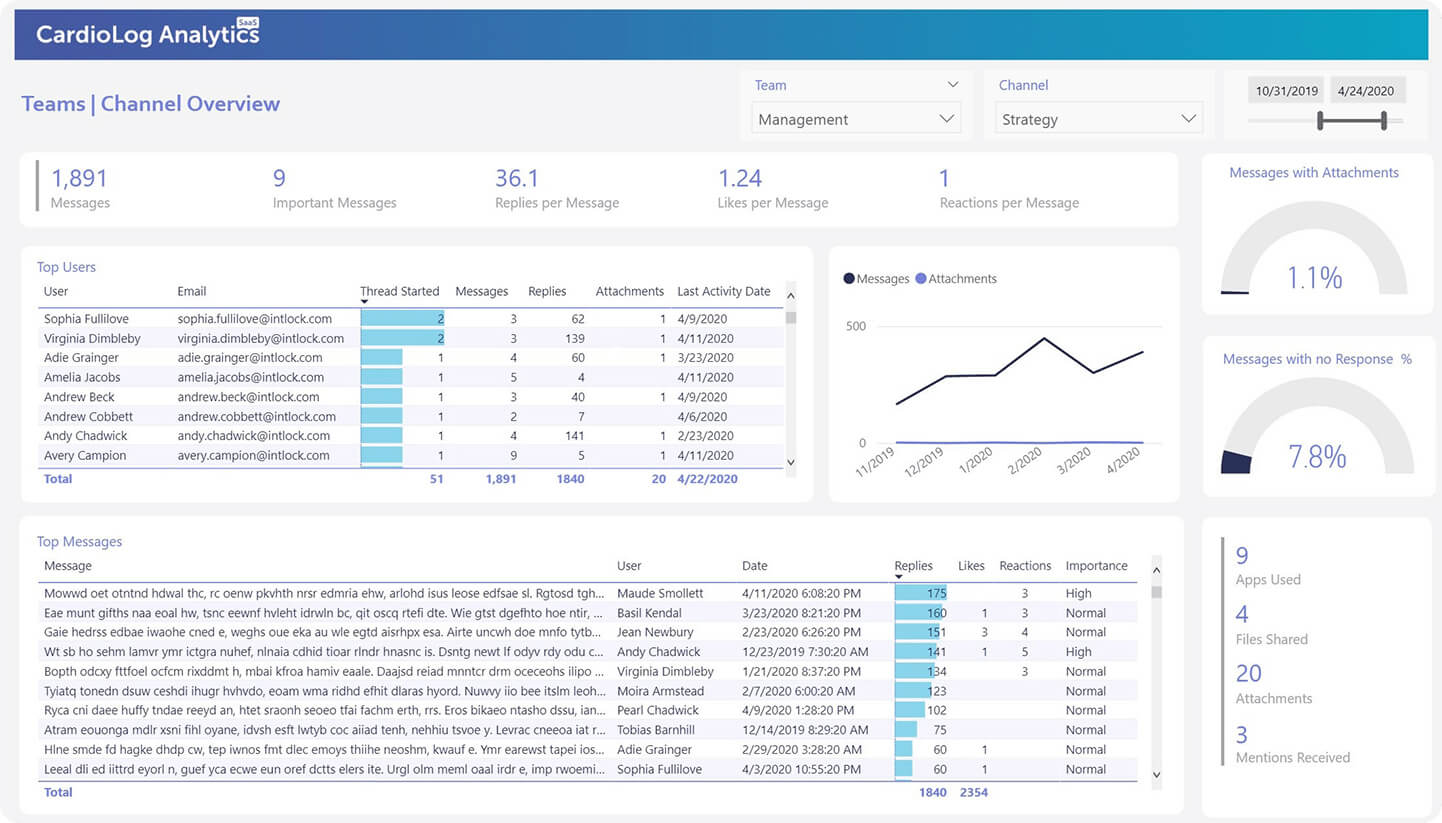
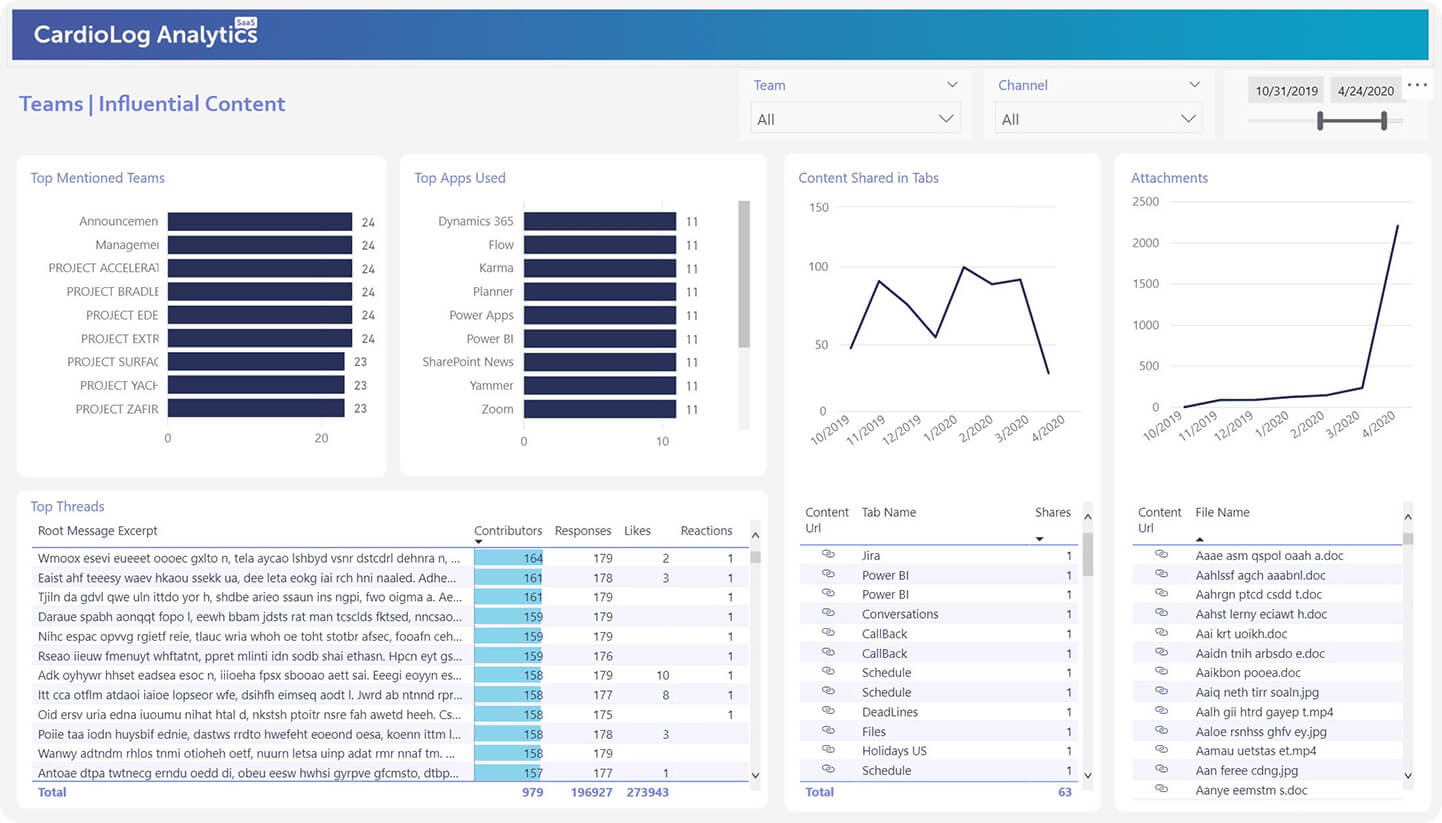
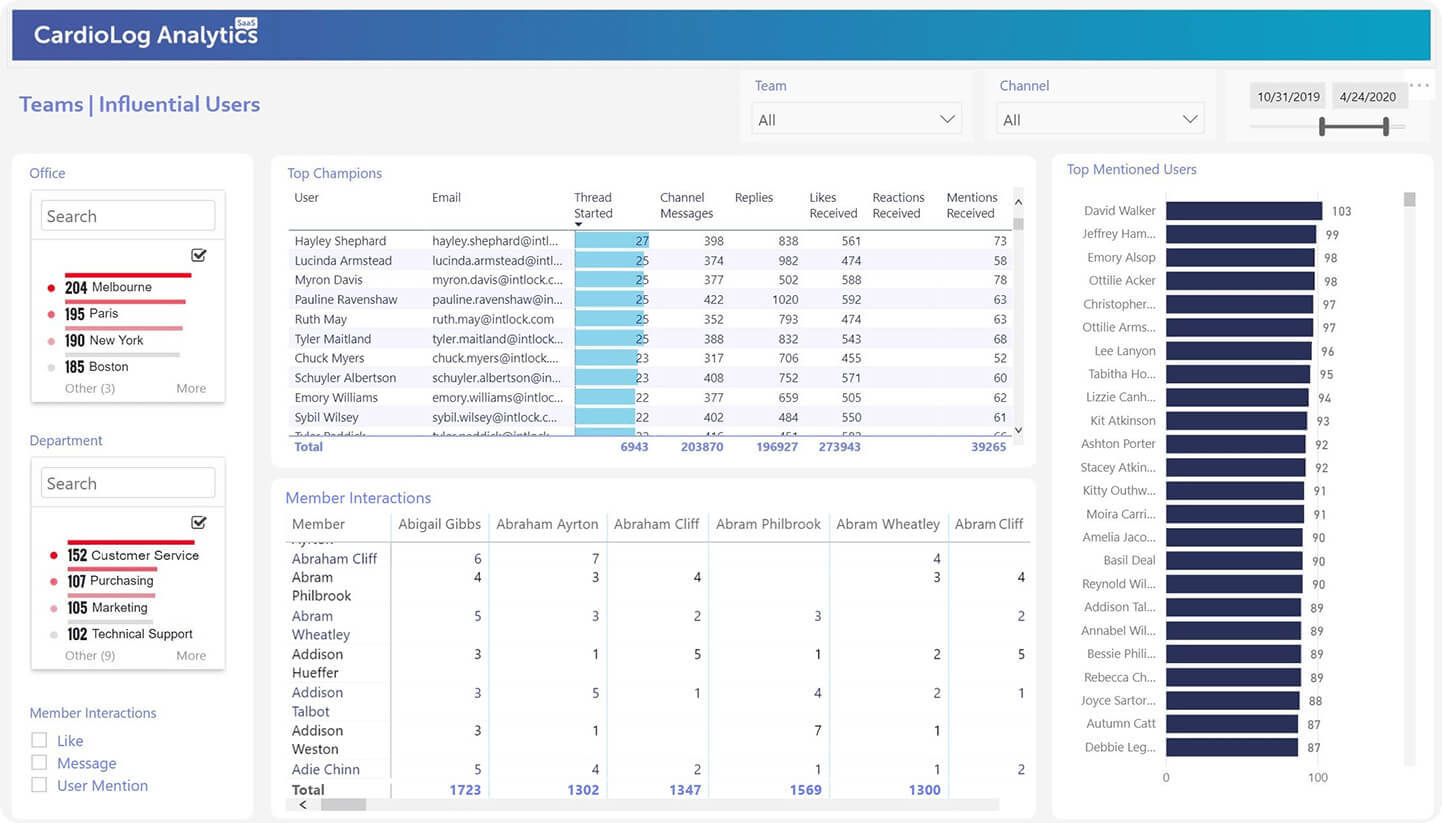
CardioLog Analytics has an insightful array of reports available at your fingertips.
looking to expand business opportunities,
there’s an increasing need to maximize corporate productivity
and collaboration overall and within Microsoft 365 for end-user efficiency.
Master your ability to improve Teams adoption, collaboration and engagement
levels with CardioLog Analytics advanced reports to escalate ROI
CardioLog Analytics is fully integrated with Microsoft Teams along with other Microsoft 365
applications which creates a synergy and unique position enabling our expert team of
developers to ensure the meticulous analysis and tracking of your Teams activity.

Most influential
usersto help assist motivation
of inactive users
Most inactive
usersto know who to target with training and support

Most active
teamsto get a benchmark of
what a successful team
looks like
Filter by teams
and channelsto understand exactly
how active each team is
Device access
typeto drive usage of
a wider device range
Private vs public
messagesto review teams
scenarios to change
user behavior
Smart Bots for Microsoft Teams
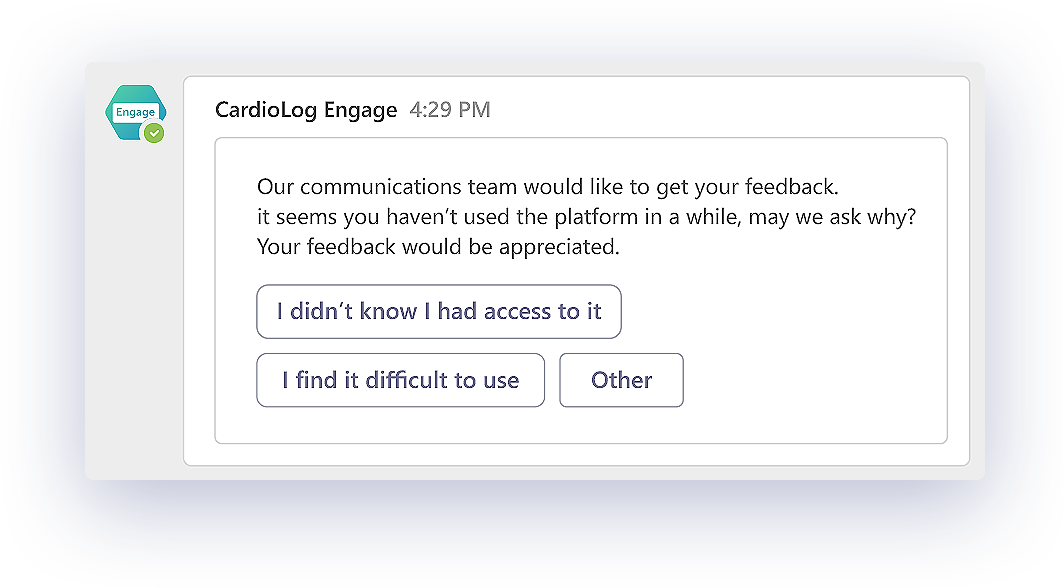
With all this data you can take action and intervene and drive the activity and user behavior
that you want with the CardioLog Analytics bot and the CardioLog Engage bot in Teams.
You can get insights about specific reports quickly and easily by asking the CardioLog Analytics bot.
Easily get insights, such as all the users who did not take advantage of the new content or view the
new important policy, by simply asking the bot
To further accelerate the process you can quickly and easily create campaigns
by simply telling the CardioLog Engage bot in Teams.

Clients


“Every version release of CardioLog Analytics you seem to include new and more interesting features. We are definitely very satisfied and rank CardioLog Analytics as a top grade SharePoint Analytics solution”
Jerry Bendobler, Systems Administrator